1. Linux Compile
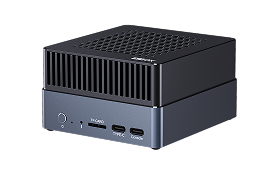
This tutorial introduces how to compile programs for AIBOX-8550.
1.1. Local Compile
AIBOX-8550 runs Ubuntu system, so you can use apt to install tools on device for software development:
sudo apt update
sudo apt install build-essential

# list installed compiler
ls /usr/bin/aarch64-linux-gnu-*
Set the compiler into building rules, such as Makefile:
# set compiler
CC := aarch64-linux-gnu-gcc
LD := aarch64-linux-gnu-ld

CFLAGS := -Wall -O2

TARGET := hello
OBJS := main.o utils.o

all: $(TARGET)

$(TARGET): $(OBJS)
	$(CC) $(LDFLAGS) -o $@ $^

%.o: %.c
	$(CC) $(CFLAGS) -c $< -o $@

clean:
	rm -f $(OBJS) $(TARGET)
1.2. Cross Compile
If need cross compile, please use the Ubuntu (same version with device) host PC and install cross compiler:
sudo apt update
sudo apt install crossbuild-essential-arm64

# list installed compiler
ls /usr/bin/aarch64-linux-gnu-*
And you need to copy these following contents from device to a single folder in host PC as sysroot:
# libraries
/opt/qti/lib
/opt/qti/usr/lib
/lib
/usr/local/lib
/usr/aarch64-linux-gnu/lib
/usr/lib

# headers
/opt/qti/usr/include
/usr/include
/usr/local/include

# others
/usr/share/pkgconfig
/etc/alternatives
Then set the compiler and sysroot into building rules, such as Makefile:
# cross compiler prefix
CROSS_COMPILE := aarch64-linux-gnu
CC := $(CROSS_COMPILE)gcc
LD := $(CROSS_COMPILE)ld

# sysroot path
SYSROOT ?= /path/to/sysroot

# compile and link flags
CFLAGS := -Wall -O2
CFLAGS += --sysroot=$(SYSROOT)
LDFLAGS := --sysroot=$(SYSROOT)

TARGET := hello
OBJS := main.o utils.o

all: $(TARGET)

$(TARGET): $(OBJS)
	$(CC) $(LDFLAGS) -o $@ $^

%.o: %.c
	$(CC) $(CFLAGS) -c $< -o $@

clean:
	rm -f $(OBJS) $(TARGET)
1.3. Customize
If need customize kernel or re-design motherboard, please contact sales@t-firefly.com