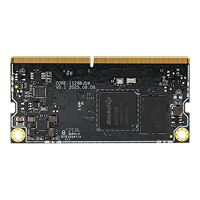
6. LED
6.1. Introduction
| LED | Pin name | Pin number |
|---|---|---|
| Up | GPIO0_C5 | 21 |
| Down | GPIO0_A6 | 6 |
LEDs can be controlled by using the LED device subsystem or by directly operating GPIO.
6.2. Controlling LEDs by device
Linux has its own LED subsystem for LED devices. In AIO-1126BJD4V0, LEDs are configured as LED class devices.You can control them via /sys/class/leds/.
You can change the behavior of each LED by using the echo command to write command to its brightness property:
Upper lights:
echo 1 > /sys/class/leds/\:user/brightness #Upper lights on
echo 0 > /sys/class/leds/\:user/brightness #Upper lights off
Lower level lights:
echo 1 > /sys/class/leds/\:power/brightness #Lower level lights on
echo 0 > /sys/class/leds/\:power/brightness #Lower level lights off
6.3. Using trigger control LED
Trigger contains a variety of ways to control the LED, here with two examples to illustrate.
Simple trigger LED
Complex trigger LED
For more information, please read the document leds-class.txt.
First of all, we need to know how many LED definition, while the corresponding property of the LED is.
The board-level configuration is located in sdk/kernel-6.1/arch/arm64/boot/dts/rockchip/rv1126b-firefly-aio-1126bjd4v0.dtsi:
leds: leds {
        compatible = "gpio-leds";

        work {
                label = ":power";
                linux,default-trigger = "ir-power-click";
                gpios = <&gpio0 RK_PA6 GPIO_ACTIVE_HIGH>;
                pinctrl-names = "default";
                pinctrl-0 = <&led_power>;
                default-state = "on";
        };

        user {
                label = ":user";
                linux,default-trigger = "ir-user-click";
                gpios = <&gpio0 RK_PC5 GPIO_ACTIVE_HIGH>;
                pinctrl-names = "default";
                pinctrl-0 = <&led_user>;
                default-state = "off";
        };
};
Note: The value of compatible must match the one in drivers/leds/leds-gpio.c.
6.3.1. Complex trigger LED
The following is the trigger mode control LED complex example, timer trigger is to let the LED to achieve constant light off effect.
We need to configure the timer trigger on the kernel.
In the kernel path using make menuconfig, in accordance with the following method to chose timer trigger driver.
Device Drivers
--->LED Support
   --->LED Trigger support
      --->LED Timer Trigger
Save the configuration and compile the kernel, the kernel.img burn AIO-1126BJD4V0 board. We can use the serial input command, you can see the blue light non-stop interval flashing.
echo "timer" > /sys/class/leds/:user/trigger
The user can also use the cat command to get the available values for the trigger:
$ cat /sys/class/leds/:user/trigger
none ir-power-click rfkill-any rfkill-none test_ac-online test_battery-charging-or-full
test_battery-charging test_battery-full test_battery-charging-blink-full-solid
test_usb-online mmc0 [timer] heartbeat backlight default-on ir-user-click mmc1
rfkill0 tcpm-source-psy-6-0022-online rfkill1 rfkill2