4. RTC Usage
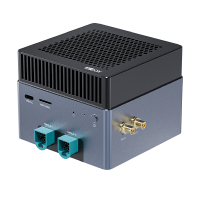
AIBOX-9075 has RTC chip.
The RTC chip is one of the most widely used consumer electronic products. It provides an accurate time reference for electronic systems. Most RTC chips use high-precision crystal oscillators as their clock sources.
The RTC chip is equipped with a battery/supercapacitor. In the event of a loss of main power supply, the chip can still operate for a certain period of time.
4.1. Time Read and Write
Use “hwclock” command can operate RTC:
# Read current RTC time
sudo hwclock
2026-06-03 08:48:26.093819+00:00

# Set RTC time directly
sudo hwclock --set --date="20260603 15:00:00"
4.2. Sync with System Time
“date” command can show current system time, we recommend setting system first, then sync to RTC.
# Set system time
date -s "20260603 15:00:00"

# Sync system time to RTC
hwclock -w

# Set system time from RTC
hwclock -s
4.3. Sync with Internet
When the device is connected to the network, wait for a few minutes. The background service will automatically update the system time and RTC time.
Use “timedatectl” to check the time sync status:
firefly@ubuntu:~$ timedatectl
               Local time: Wed 2026-06-03 15:28:33 CST
           Universal time: Wed 2026-06-03 07:28:33 UTC
                 RTC time: Wed 2026-06-03 07:28:32
                Time zone: Asia/Shanghai (CST, +0800)
System clock synchronized: yes
              NTP service: inactive
          RTC in local TZ: no