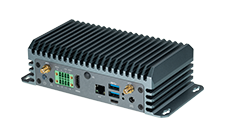
First Use
Important!Important!Important
Do not use sudo apt-get upgrade and sudo apt-get dist-upgrade .
Do not use sudo apt upgrade and sudo apt dist-upgrade .
To prevent being upgraded, you can comment out the official Jetson apt source of NVIDIA:
 cat /etc/apt/sources.list.d/nvidia-l4t-apt-source.list
# SPDX-FileCopyrightText: Copyright (c) 2019-2024 NVIDIA CORPORATION & AFFILIATES. All rights reserved.
# SPDX-License-Identifier: LicenseRef-NvidiaProprietary
#
# NVIDIA CORPORATION, its affiliates and licensors retain all intellectual
# property and proprietary rights in and to this material, related
# documentation and any modifications thereto. Any use, reproduction,
# disclosure or distribution of this material and related documentation
# without an express license agreement from NVIDIA CORPORATION or
# its affiliates is strictly prohibited.

#deb https://repo.download.nvidia.com/jetson/common r36.4 main
#deb https://repo.download.nvidia.com/jetson/t234 r36.4 main
#deb https://repo.download.nvidia.com/jetson/ffmpeg r36.4 main
Jetpack
| OS | Kernel | CUDA | |
|---|---|---|---|
| JetPack 6 | Ubuntu 22.04 | 5.15 | 12 |
The following commands will install all other JetPack components that correspond to your version of Jetson Linux L4T:
sudo apt update
sudo apt install nvidia-jetpack
sudo apt-cache show nvidia-jetpack
jtop
sudo apt update
sudo apt install python3-pip
sudo pip3 install -U jetson-stats
browser
If the browser fails to open after installation, please follow the steps below:
snap download snapd --revision=24724
sudo snap ack snapd_24724.assert
sudo snap install snapd_24724.snap
nvpmodel
| 7W | 15W | 25W | MAXN_SUPER | |
|---|---|---|---|---|
| Jetson Orin Nano 8GB | Mode ID 0 | Mode ID 1 | N/A | N/A |
| Jetson Orin Nano 8GB SUPER | N/A | Mode ID 0 | Mode ID 1 | Mode ID 2 |
| MAXN_SUPER | MAXN | 10W | 15W | 20W | 40W | |
|---|---|---|---|---|---|---|
| Jetson Orin NX 8GB | N/A | Mode ID 0 | Mode ID 1 | Mode ID 2 | Mode ID 3 | N/A |
| Jetson Orin NX 8GB SUPER | Mode ID 0 | N/A | Mode ID 1 | Mode ID 2 | Mode ID 3 | Mode ID 4 |
| MAXN_SUPER | MAXN | 10W | 15W | 25W | 40W | |
|---|---|---|---|---|---|---|
| Jetson Orin NX 16GB | N/A | Mode ID 0 | Mode ID 1 | Mode ID 2 | Mode ID 3 | N/A |
| Jetson Orin NX 16GB SUPER | Mode ID 0 | N/A | Mode ID 1 | Mode ID 2 | Mode ID 3 | Mode ID 4 |
Commands
get power mode:
sudo nvpmodel -qset power mode:
sudo nvpmodel -m <x><x>is the powerMode ID(for example, 0, 1, 2, 3 or 4).
GUI

To switch the current power mode, click the NVIDIA icon to open a dropdown menu from the icon
Click “Power mode” to open a submenu of power modes