
Product Introduction
Product Overview
The DEEPX DX-M1 M.2 module brings server-grade AI inference directly to edge devices. The DX-M1 delivers 25 TOPS of performance with only 2W to 5W of power, offering 20 times the performance efficiency (FPS/W) of a GPGPU while maintaining GPU-level AI accuracy.
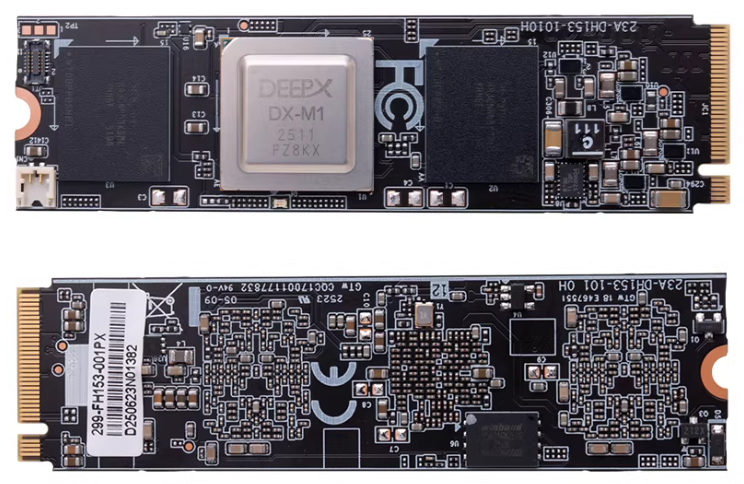
Detailed specifications
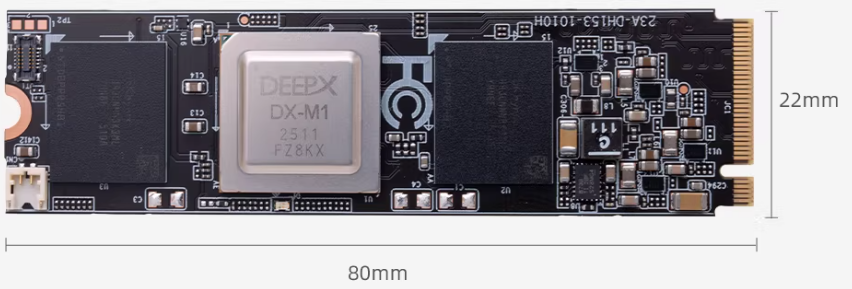
| Name | Parameters |
|---|---|
| AI Computing Power | 25 TOPS |
| Form Factor | M.2 M key |
| Dimensions | 22 × 80 mm |
| Interface | PCIe Gen 3 ×4 |
| Memory | 4GB LPDDR5 + 1Gbit QSPI NAND Flash |
| Debug Interface | UART0, JTAG1 |
Instructions for use
Install
Connect to the M.2 interface of the RK3588, turn on the power, and confirm whether the DX-M1 PCIe accelerator card can be recognized.
root@firefly:/home/firefly# lspci
0004:40:00.0 PCI bridge: Rockchip Electronics Co., Ltd Device 3588 (rev 01)
0004:41:00.0 Processing accelerators: Device 1ff4:0000 (rev 01)
Deployment Environment
Download code
git clone --recurse-submodules https://github.com/DEEPX-AI/dx-all-suite.git
Compile and install drivers
# Before compiling, you need to install Linux Headers on your device. Please refer to https://wiki.t-firefly.com/en/Firefly-Linux-Guide/first_use.html#linux-headers
cd /dx-all-suite/dx-runtime/dx_rt_npu_linux_driver/modules/
./build.sh -d m1
./build.sh -d m1 -c install

# After installation, you can see dxrt_driver using lsmod.
lsmod
Install dx_rt
cd ./dx-all-suite/dx-runtime/dx_rt
./install.sh --all
./build.sh --install /usr/local
sudo cp ./service/dxrt.service /etc/systemd/system
sudo systemctl start dxrt.service
sudo systemctl enable dxrt.service
cd python_package
pip3 install .
reboot

# After installation, you can check the DX-M1 status using commands.
dxrt-cli -s
Upgrade Firmware
# The firmware on the DX-M1 may be incompatible with the current SDK. You can update the firmware corresponding to the SDK first.
cd ~/dx-all-suite/dx-runtime/dx_fw
dxrt-cli -u ./m1/latest/mdot2/fw.bin
Test
# Download the pre-compiled model from https://developer.deepx.ai/article/modelzoo/ ,This test uses the YoloV5S model

# run_model is benchmark tool.
run_model -m ./YoloV5S.dxnn -b -l 100 -v
More Information
github: https://github.com/DEEPX-AI/